A Comprehensive Guide to Purchasing a Mac Air Laptop


Intro
In today’s fast-paced digital world, purchasing a laptop is not merely about selecting a machine; it’s about making a choice that aligns with your lifestyle and professional requirements. The Mac Air laptop, celebrated for its sleek design and powerful capabilities, stands out as a top contender for both IT professionals and tech aficionados. But how do you determine if it’s the right fit for you?
This guide aims to unpack the intricacies of the Mac Air laptop—from its standout features to its practical performance metrics, providing you with the insights necessary to make an informed decision. We'll explore the essential specifications, gauge performance through both benchmarks and real-world applications, and discuss the compatibility with various software programs vital to many tech users today. Understanding market trends and evaluating financial implications will round out your knowledge, allowing for a comprehensive assessment of this device. So, buckle up as we delve into the world of the Mac Air laptop, shedding light on all the factors you need to consider when making your purchase.
Understanding the Mac Air Laptop
Buying a laptop requires careful consideration, and understanding the Mac Air is essential for making an informed decision. The Mac Air is not just another laptop; it's a flagship of Apple's lightweight and portable computer lineup. This section aims to highlight vital aspects of the Mac Air, catering particularly to information technology professionals and tech enthusiasts. By grasping the history and current model options, potential buyers can appreciate what makes this device stand out in a sea of competitors.
History and Evolution
The Mac Air has a rich lineage. Launched in 2008, the initial hype around its design and weight created waves throughout the tech community. It was one of the first laptops to embrace a sleek and thin design, effectively reshaping the portable computing landscape. Many remember Steve Jobs unveiling the original Mac Air by extracting it from a manila envelope, a moment that communicated convenience paired with innovation.
Since then, the Mac Air has undergone several iterations, incorporating advancements in processing power, battery life, and design aesthetics. Apple's shift to their own M1 chip in 2020 marked a turning point, allowing for greater efficiency and performance without sacrificing portability. This transition cemented the Mac Air's reputation as not only a pretty face but also a powerhouse in its own right.
Current Models Overview
Today, the Mac Air is available in several models, with the M2 chip leading the pack. This model sports a dazzling Retina display, additional battery efficiency, and improved graphics capabilities. For many tech-savvy users, the choice between the M1 and M2 models boils down to specific needs.
- The M1 Mac Air appeals to users seeking a balanced option for everyday tasks, offering excellent performance for web browsing, content consumption, and even light video editing.
- The M2 Mac Air, however, showcases enhanced capabilities aimed at professionals grappling with more demanding applications, like coding or design work.
When weighing these options, consider how each model aligns with individual requirements. Some may find that the M1 offers more than sufficient power, while others will appreciate the cutting-edge features of the M2.
It's also worth highlighting that these laptops are designed with a selection of colors and finishes, catering to personal taste. As you explore your options, remember to assess who you are as a user—this decision rests on aligning the machine's capabilities with your unique needs.
Key Specifications to Consider
When staring at the myriad options that the Mac Air laptop presents, it's easy to get overwhelmed by the technical jargon and numbers. However, focusing on key specifications is essential in ensuring you score the right match for your needs. Here, we will lay down the pivotal components of the Mac Air laptop that demand your attention. Assessing things like processor options, memory, storage, and display features can vastly improve your user experience and overall satisfaction.
Understanding these specifications can help you tailor your laptop to your distinct requirements – whether that be for professional tasks, leisure activities, or a combination of both. Ignoring these aspects can lead to buyer's remorse further down the line when the capabilities of your laptop may not align with your expectations or usage needs.
Processor Options
The heart of any laptop is its processor. The Mac Air is available with different processors, such as the M1 and M2 chips, which play a crucial role in determining performance.
- M1 Chip: This chip has shown remarkable efficiency and speed when handling everyday tasks such as browsing, streaming, and light productivity work.
- M2 Chip: For users who stretch the limits, whether that means multitasking with heavy applications or engaging in resource-intensive tasks, the M2 offers superior speed and better graphics capabilities compared to its predecessor.
When choosing between these processors, consider your usage patterns. If you are a light user who mainly surfs the web and uses word processors, the M1 should suffice. However, if you're into video editing or gaming, the M2 might be worth the investment.
Memory and Storage
Memory, or RAM, coupled with storage, forms the backbone of your system's performance. The Mac Air generally offers configurations with 8GB to 24GB of unified memory.
- 8GB RAM: Adequate for basic tasks and less intensive applications. Perfect for students and casual users.
- 16GB or Higher: Recommended for power users who are looking to run several applications simultaneously without a hitch. For example, graphic designers or developers often find themselves in need of more RAM to enhance their workflow.
As for storage, the Mac Air comes with SSD options ranging from 256GB up to 2TB. Think about your data habits. If you like keeping many files locally, opt for the higher capacity. But if utilizing cloud storage is your style, a smaller SSD might serve just fine.
Display Features
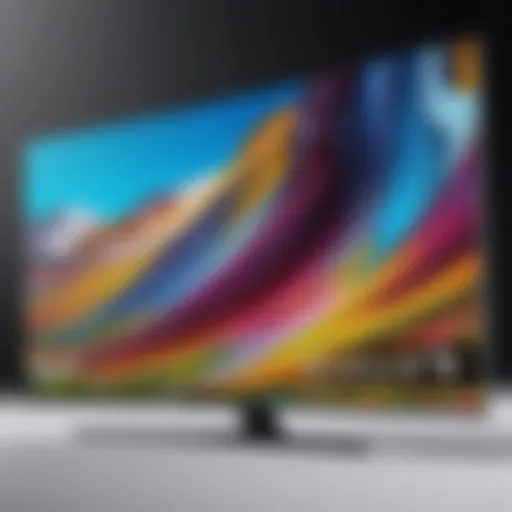
A laptop’s display can make or break your experience. The Mac Air models feature high-resolution Retina displays, which provide vibrant colors and sharper details. Here are some key aspects to consider:
- Screen Size: Typically, the Mac Air comes with a 13-inch display. It catches the eye for being portable while still offering ample viewing space for work or leisure.
- Resolution: Retina displays boast a resolution of 2560 x 1600 pixels, making texts crisp and images vivid. This is especially vital if you'll be involved in tasks like graphic design or video editing.
- True Tone Technology: This feature adjusts the white balance based on ambient lighting, which can result in a more comfortable viewing experience, reducing eye strain.
"The key to selecting the right Mac Air is understanding each specification’s impact on your specific use case. Don't rush into a decision; take your time and choose wisely."
For further guidance, you might also want to check out Wikipedia - Apple Macintosh or Reddit - MacBook Forum.
Performance Metrics
When venturing into the world of the Mac Air laptops, understanding the performance metrics is key. This section lays the groundwork for measuring what a laptop can really do beyond its shiny exterior. Performance metrics give potential buyers a clearer picture of how the machine will stand up in everyday tasks, from basic usage to more demanding professional applications.
Why should one focus on performance metrics? Simply put, this information can be the difference between a smooth computing experience and constant frustration. Metrics detail how well a laptop can manage tasks and run applications, which is critical for IT professionals and tech enthusiasts who rely on efficiency and speed.
Benchmark Comparisons
Benchmarking is akin to putting a laptop through its paces under controlled conditions. Industry-standard tests assess various aspects of performance such as processing speed, graphics capabilities, and memory response times. Performance benchmarks serve as a reliable yardstick for comparisons across models and generations.
For example, the Geekbench and Cinebench tests are commonly used to provide scores illustrating how different components perform. A prospective buyer might look at how the M-series chip in the latest Mac Air fares against Intel counterparts. For instance, the M1 chip has shown to outperform many Intel processors in multi-core operations, which is pertinent for applications commonly used in programming or video editing.
"In the world of computing, numbers often tell a story which words can't convey."
Moreover, understanding these benchmarks helps you to contextualize your potential investment. If you're considering a Mac Air for software development or graphic design, seeing that higher scores in CPU and GPU tests could sway your decision. The key takeaway here is that you should look beyond the marketing hype. Numbers matter.
Real-World Usability
Benchmarks are vital, but how does that translate into real-life scenarios? Real-world usability evaluates how the Mac Air performs in day-to-day tasks. This is where things get interesting – the theoretical scores sometimes don’t match practical experiences.
For instance, while the benchmark might suggest that a Mac Air can handle processing tasks with ease, real-world use cases tell another side of the story. When running multiple applications together – say, a code editor, web browser with multiple tabs open, and a virtual machine – how does the machine handle the load? Users report that the Mac Air can perform exceptionally well in these scenarios, providing smoother multitasking experiences compared to other similar models.
Furthermore, battery life plays a substantial role here. In everyday use, how many tabs can you actually keep open before draining the battery? Users often find Mac Air’s battery longevity exceeding expectations, thanks not just to its efficient hardware but also its well-optimized macOS.
Design and Build Quality


The design and build quality of the Mac Air laptop stand as crucial elements informing any purchasing decision. A well-designed laptop not only enhances the aesthetic appeal but also contributes significantly to its durability and usability. In the realm of information technology, where robust performance meets portability, having a laptop that offers both is non-negotiable. The Mac Air’s finely crafted casing and lightweight nature make it an attractive option for professionals who require a reliable device that can withstand the rigors of daily use while remaining easy to transport.
Material Choices
When discussing material choices, the Mac Air excels with its aluminum unibody construction. This choice of material is pivotal for multiple reasons:
- Durability: Aluminum inherently offers a strong build, which helps protect against wear and tear. Unlike plastic, it doesn’t easily crack or degrade with time.
- Weight: One of the hallmarks of the Mac Air is its lightweight nature. The use of aluminum keeps the device light without skimping on sturdiness.
- Aesthetic Appeal: The sleek metal finish provides a high-end feel, which is often appreciated by professionals in IT who often value first impressions.
This sturdy yet elegant design gives the Mac Air a premium persona, setting it apart from competitors that may rely on cheaper materials that lack the same level of resilience.
Ergonomics and Portability
In terms of ergonomics and portability, the Mac Air embodies the ideal balance between comfort and convenience. Here are some aspects to consider:
- Weight and Size: Weighing in at approximately 2.8 pounds and measuring about 0.16-0.63 inches, the Mac Air is designed to slip easily into backpacks or briefcases. This feature is particularly beneficial for IT professionals who are often on the move, attending meetings or working in varying environments.
- Keyboard and Trackpad Design: Ergonomically, the keyboard on the Mac Air is designed for comfortable typing over prolonged periods. The scissor mechanism beneath each key provides satisfying responsiveness, which is essential for those who type extensively.
- Heat Dissipation: The aluminum construction also plays a role in heat management, helping to dissipate heat during high-performance tasks. This feature ensures a more stable working environment, enhancing productivity.
"A laptop isn’t just a tool; it should feel like an extension of your work habits. The Mac Air’s design fosters creativity and efficiency."
In summary, the design and build quality of the Mac Air are pivotal aspects that cater to the needs of IT professionals and tech enthusiasts alike. The robust materials, combined with ergonomic features, make it not just a laptop, but rather a reliable partner in technological endeavors.
Operating System Capabilities
When choosing a Mac Air laptop, one of the most important facets to consider is its operating system, primarily macOS. This software not only distinguishes the Mac Air from other laptops but also plays a pivotal role in the user experience, utility, and overall performance of the device. A well-rounded grasp of macOS will arm potential buyers with the insights needed to assess whether the Mac Air aligns with their requirements.
macOS is known for its seamless integration across Apple’s ecosystem. For individuals heavily invested in Apple products, such as iPhones or iPads, the operating system offers an impressive synergy. This makes tasks like file sharing and notifications fluid and effortless, reflecting Apple's foresight in creating an interconnected environment. Plus, the aesthetic appeal and user-friendly interface of macOS also can't be overlooked.
Moreover, it comes with a set of inherent features designed to enhance productivity and security. The Finder, Mission Control, and Split View function primarily exhibit Apple's design philosophy - simplicity married with efficiency.
"The user experience highlights the significant advancements in macOS, encouraging productivity while maintaining a simple design."
Investing in a Mac Air involves understanding these operating system capabilities, which serve not just as basic functions but as pivotal features that can boost one’s workflow.
macOS Features
macOS layers a host of features that cater specifically to both casual users and professionals alike. First, the Dock provides easy access to frequently used apps, streamlining how users switch between tasks. The Spotlight feature allows quick searches for files, apps, or information on the web without cumbersome navigation through multiple folders or applications.
Additionally, it houses a suite of native applications, such as Pages, Numbers, and Keynote, geared towards document creation and management without requiring third-party software. This can be especially beneficial for students or professionals who depend on seamless workflow and collaboration.
Another standout feature is Handoff, which allows users to start a task on one Apple product and continue it on another, making transitions between devices painless. This reinforces the robust functionality macOS provides, illustrating why many end up sticking with Apple over time.
Software Compatibility
Though macOS boasts several native applications, understanding compatibility with third-party software also holds weight in the decision-making process. Many programs favored by IT professionals, graphic designers, and developers have been optimized for macOS. Applications such as Adobe Creative Cloud, Final Cut Pro, and even code editors like Visual Studio Code run smoothly, highlighting the operating system's robust handling of demanding tasks.
However, potential buyers ought to consider that not all software is available on macOS. For instance, some industry-specific tools or gaming applications might only operate optimally on Windows systems. Therefore, evaluating the software landscape relevant to your work or hobbies is crucial. It's worth checking platforms like Reddit or Stack Exchange for insights from others in your field, summarizing common recommendations and issues faced.
By weighing the compatibility of essential software against one’s needs, users can make an informed decision about whether the Mac Air can support their current workload effectively.
User Experience and Reviews
User experience is often heralded as the beacon guiding potential buyers through the murky waters of technology purchases, and this is especially valid when considering a Mac Air laptop. The Mac Air is aimed at a wide audience, from students to professionals, making personal insights fundamental. When it comes to tech, purchasing decisions are more than just specs on paper; they are rooted in real-life experiences. Gathered perspectives often reflect the actual performance and usability of the device, which can significantly influence decision-making.
Expert Opinions
Expert opinions come from seasoned professionals and tech analysts who rigorously test devices and evaluate their capabilities. These insights play a critical role in framing the narrative around a device. They sift through the marketing fluff, often getting down to the nitty-gritty of the Mac Air’s performance in different usage scenarios.
For instance, one tech reviewer might highlight how the M1 chip, clear as day, propels the Mac Air into a realm of efficiency unheard of in previous models. This type of analysis enhances the understanding of what users can realistically expect from their purchase, teaching potential buyers about processing power, battery longevity, and thermal management, among other factors. When you read an article on a platform like TechRadar, you can expect insights backed by hands-on testing, offering a solid foundation for your purchase decision.
Some popular platforms where experts dissect the Mac Air include:
User Testimonials
On the flip side, user testimonials are the pulse of the marketplace. They provide an integral layer of insight—real users recounting their experiences, often detailing the day-to-day interactions they have with the Mac Air. This narrative is usually rich in personal anecdotes that reveal genuine satisfaction or frustrations.
Many users tend to share specifics that might not make it into a professional review. For instance, a graphic design student might rave about how smoothly Adobe Photoshop runs on their Mac Air, allowing them to multitask without breaking a sweat. In contrast, a casual user might point out issues related to software compatibility with certain applications, which could reveal a critical perspective to keep in mind.
"I chose the Mac Air for its lightweight design, and I haven’t regretted it. But I had a tough time with some gaming software that I thought would be fine. It’s great for the things I do most, but keep software compatibility in mind if you have special needs." - A user on Reddit
Using forums like Apple Discussions and community threads on platforms like Facebook, one can gauge a wide array of user experiences. These uncensored testimonials offer a mosaic of feedback, ranging from those who take it with them on-the-go to professionals who need it for resource-intensive work.
Incorporating these perspectives in your decision-making process will help paint a clearer picture of what owning a Mac Air will mean for your unique needs. Whether you’re after performance benchmarks or an informed discussion about everyday usability, both expert reviews and user testimonials will equip you with necessary clarity.
Pricing Overview
When it comes to buying a Mac Air laptop, understanding the pricing landscape can greatly enhance your purchasing decisions. It's not just about the numbers on the price tag. Delving into the pricing overview helps you evaluate which model fits your budget while maximizing overall value. Given the various configurations, models, and optional features, the price can fluctuate widely. Hence, knowing what you are paying for is crucial.
One key benefit of approaching the pricing overview with fresh eyes is that it allows you to weigh your options more carefully, preventing any buyer’s remorse down the line. Different models offer varying hardware specifications, which directly impacts their price. Higher performance can mean a higher cost, so it’s essential to look at your specific needs and what features justify the additional expense.
Additionally, understanding the nuances of pricing can help you anticipate sales, promotions, or even seasonal trends that affect Mac Air prices. While Apple does keep a tight grip on pricing, occasional discounts from retailers can swing the deal in your favor. Moreover, recognizing the long-term value of a Mac Air—coupled with its longevity—shifts the focus away from just the upfront cost to a more holistic view of your investment.
Price Ranges by Model


The Mac Air lineup offers models spanning a broad price range to cater to different budgets and needs. Here’s a breakdown of where each model tends to sit:
- MacBook Air M1 (2020): Typically the entry-level option, with prices around $999. Ideal for students or anyone who needs a lightweight, everyday machine.
- MacBook Air M2 (2022): This latest version usually starts at approximately $1,199. It comes with improved specs, making it suitable for users requiring more power and higher performance.
- Higher configurations: For those looking for additional RAM or storage, prices can quickly shoot up. For instance, maxing out the M2's capabilities may put you in the ballpark of $1,500 or more.
To give a better idea, prices can vary based on promotional offerings or specific configurations. For instance, during back-to-school season or around holiday sales, you might spot significant reductions or bundle deals that enhance your buying power.
Evaluating Value for Money
When evaluating a Mac Air laptop, dissecting the concept of value for money is crucial. A higher price doesn’t always translate to better performance for your specific needs, and understanding this balance can save you from over-investment.
To assess value:
- Consider features against your needs: If you’re a casual user, opting for the base model might suffice. For heavy tasks like video editing or software development, investing in a more powerful model pays off.
- Longevity: Macs, in general, have a reputation for lasting a reasonable time without becoming obsolete. You’ll want to take into account the lifespan and operational efficiency over time.
- Resale Value: Mac products typically have higher resale values compared to other brands. So, when you decide to upgrade, consider how much you might recoup from your investment.
Ultimately, while the upfront cost can initially seem daunting, many users find their Macs a valuable addition to their tech arsenal, not just for the present but also for the future.
"In the long run, understanding the overall value often trumps merely looking at the price tag."
By weighing these factors and understanding pricing intricacies, you are better positioned to make a savvy purchase with less guesswork.
Where to Purchase
When it comes to buying a Mac Air laptop, selecting the right place to purchase is as important as choosing the model itself. The location not only affects the availability of different models but can also influence pricing, warranty options, and after-sales service. Therefore, knowing your options and understanding the pros and cons of each can guide you in making a smart purchase.
Authorized Retailers
Buying from authorized retailers has distinct advantages. These sellers are recognized by Apple, meaning that they can provide genuine products and adhere to standard Apple warranties and service agreements. Retailers like Apple Store, Best Buy, and B&H Photo are examples of places where you'll find legitimate Mac Air laptops.
- Benefits of Authorized Retailers:
- Trustworthiness: You’re more likely to receive a product that is both authentic and intact.
- Warranty Assurance: Products purchased here usually come with full Apple warranty coverage.
- Expert Guidance: Staff are often trained to support customer needs specifically regarding Apple products, providing valuable insights on features and benefits.
Moreover, a hands-on experience is invaluable. Walking into a physical store allows you to size up the laptop, feel its weight, and even test how the keyboard feels. In many cases, you might also get the chance to participate in promotional events, which can include discounts or accessories with your laptop purchase.
However, prices may be slightly higher compared to online platforms. Keep this in mind, but remember that peace of mind counts for a lot in tech purchases.
Online Marketplaces
Online marketplaces like Amazon, eBay, and the Apple Store's own website offer a different shopping experience. They can provide competitive prices, wider selection, and the convenience of browsing from your couch. Just a few clicks and your Mac Air could be on its way to you.
- Advantages of Online Marketplaces:
- Broader Selection: You might find the specific model or configuration you want without the limitations that sometimes come with brick-and-mortar stores.
- Price Comparison: Online searching lets you compare prices easily, ensuring you get the best bang for your buck.
- Easy Access to Reviews: Customer reviews are often plentiful, providing real-world insights into performance and satisfaction.
Despite these benefits, shopping online does have its potential pitfalls. Reliability can vary, as not all sellers on online platforms are authorized. It’s crucial to check seller ratings and read through buyer feedback before making a purchase. You should also pay close attention to return policies since purchasing through an online marketplace may require different considerations if the product is defective or not as described.
"Choosing the right place to buy is as crucial as choosing the right model. The peace of mind when you know you've made a sound purchase is irreplaceable."
To further explore where to buy a Mac Air, you may visit resources such as Apple's official website or reviews on Reddit.
Warranty and Support
When investing in a Mac Air laptop, understanding the nuances of warranty and support is as crucial as the hardware specifications or operating system. These factors not only protect your investment but also enhance the user experience. Generally speaking, warranties provide peace of mind, ensuring that should something go awry with your laptop, you're not left high and dry without recourse. Furthermore, reliable support options can be the lifeline that keeps your device running optimally and your work uninterrupted.
AppleCare Options
AppleCare is Apple's dedicated service plan, designed to offer extended coverage beyond the standard warranty. The basic warranty typically lasts for one year, covering manufacturing defects and hardware failures. However, AppleCare can significantly extend that time frame.
- Types of Coverage: Depending on the plan, it may cover accidental damage, though a service fee is usually required for repairs.
- Priority Service: Having AppleCare also means quicker access to support. When your laptop starts acting up, you may find peace of mind in knowing you can get your queries resolved faster than those without the plan.
- Global Repair Access: If you are prone to traveling, AppleCare offers support across various locations globally. This means that no matter where you are, you’ll find help when you need it.
Yet, it’s worth doing some homework before committing. Evaluate whether this investment makes sense for your usage patterns. If you treat your devices with kid gloves, the regular warranty may suffice.
Repair Services
When it comes to repairs, Apple has built a reputation for excellent service. Knowing what you can expect can make a substantial difference in your post-purchase experience. Here’s what to consider:
- Genius Bar Appointments: You can book an appointment with a Genius at an Apple Store, allowing for face-to-face troubleshooting. It’s akin to having a tech-savvy friend at your fingertips, ready to assist.
- Mail-in Service: If the store is too far or you prefer convenience, Apple offers mail-in service. You can package your laptop and send it to Apple for repair, which saves you the hassle of traveling.
- Authorized Service Providers: Besides Apple Stores, numerous authorized service providers are around. They’re well-equipped to handle repairs, typically offering a more localized option for you.
Proper warranty coverage and efficient repair services can save you time and money in the long run. It's wise to familiarize yourself with these options before making your purchase.
In short, warranty and support options are integral to making a well-informed decision when buying your Mac Air laptop. They ensure that your device continues to serve you reliably long after you’ve made the initial purchase.
Alternative Options
Exploring alternative options when considering the Mac Air laptop is crucial for making an informed decision. The tech landscape is filled with various brands and models that might be just as suitable, if not more so, depending on your needs. Not everyone fits into the Apple ecosystem, and understanding what’s out there can be a game changer.
Comparing with Competitors
When it comes to laptops, Apple’s Mac Air is often seen as a benchmark for design and performance. However, brands like Dell, ASUS, and HP have stepped up their game, offering devices that give the Mac Air a run for its money.
- Dell XPS 13: Known for its stunning display and impressive battery life. It's lightweight, making it a strong competitor in portability, similar to the Mac Air.
- ASUS ZenBook 13: This laptop boasts a sleek design and good performance at a lower price point. Its compact build and solid specs make it appealing for everyday users.
- HP Spectre x360: The 2-in-1 functionality allows flexibility in usage while maintaining a premium feel, possibly the best for those who require versatility.
Each of these laptops offers unique features like touchscreen capabilities and higher resolution displays, which might be more appealing based on what you intend to do with your new machine. Consider your primary use cases and compare performance metrics, such as battery life, processing power, and build quality.


Evaluating Non-Mac Solutions
Non-Mac options have evolved significantly, often catering to specific audiences such as gamers, business professionals, or creatives. Evaluate some key brands and their notable products:
- Microsoft Surface Laptop 4: An excellent choice for Windows users. It offers high-resolution touch displays and robust performance, catering well to office tasks and casual creative work.
- Lenovo ThinkPad X1 Carbon: Ergonomically designed for professionals, the ThinkPad integrates robust security features and extensive port options, essential for business environments.
- Razer Blade Stealth: For those leaning towards gaming, the Razer provides powerful specs in a compact frame, merging gaming and everyday use seamlessly.
"It’s not just about the specs, but how you prefer to work. Each option out there has its own rhythm, fitting different workflows and requirements."
When looking beyond the Mac Air, it’s essential to assess the actual feature set of alternatives and how these align with your daily tasks. Reflect on the software you plan to use and ensure compatibility, especially for industries relying on specific programs or applications.
In short, while the Mac Air offers remarkable capabilities, the laptop market does have an array of viable alternative options. Research, compare, and align the features that resonate most with your lifestyle or career needs. Don't settle for less when you can explore what suits you better.
User Customization and Upgrades
When it comes to selecting a Mac Air laptop, the ability to customize and upgrade your machine can significantly influence both performance and longevity. In an era where technology evolves at breakneck speed, ensuring that your device remains relevant and efficient is paramount. User customization allows individuals to tailor their Mac to fit their specific needs, whether that be for professional projects, gaming, or just general day-to-day tasks.
The importance of customization lies not just in personal preference but also in practical functionality. With the right upgrades, a Mac Air can enhance productivity, support advanced applications, and adapt to various workflows. While the allure of a new laptop can be tempting, understanding how to tweak an existing model can stretch your investment further, maximizing the return on your expenditure.
Recommended Upgrades
Considering which components to upgrade can be an overwhelming task, especially for those who might not be tech-savvy. However, focusing on a few key areas can lead to noticeable improvements:
- Memory (RAM) Upgrades: Upgrading the RAM can drastically enhance multitasking capabilities. The standard amount in many Mac Air models may suffice for basic tasks, but as software demands increase, having additional memory allows smoother operation, especially when running memory-intensive applications like design programs or virtual machines.
- Storage Solutions: Many users find themselves quickly running out of storage space. Upgrading to a higher capacity or opting for a solid-state drive (SSD) can not only provide more room for files but improve overall performance and boot times. Different storage options also offer varying durability and speed, which can be crucial depending on usage.
- Battery Replacement: Over time, battery health can diminish. Replacing it can breathe new life into your Mac Air, ensuring you’re not tethered to an outlet while working or traveling.
Upgrades not only enhance existing capabilities but can also extend the life of your laptop, allowing it to keep pace with new technological advancements without needing to spring for an entirely new device.
Customizing Your Purchase
When you decide to buy a Mac Air, realizing that customization options extend beyond just hardware can be immensely beneficial. From selecting specific configurations to choosing add-ons that elevate your experience, each choice can enhance your laptop's usefulness:
- Configuration Choices: Apple offers various configurations for memory, storage, and processing power. Carefully consider what you truly need versus what’s nice to have. If a student majoring in graphic design needs superior graphics capabilities, select a better processor. Conversely, if you’re primarily browsing the web or using productivity software, a standard configuration might be just fine.
- Accessories: Don't overlook the many accessories that can accompany your Mac Air. Consider investing in items such as a high-resolution external display, customized keyboard shortcuts through software like Karabiner, or enhanced security features such as biometric locks. The right accessories can significantly improve the functionality and security of your device.
- Software Customization: macOS offers various settings and applications that can tailor your usage to your preferences. Familiarity with system preferences can enable you to optimize performance, manage notifications, and even set up shortcut keys that align with your workflow.
"With the right blend of hardware, accessories, and software strategies, you can make your Mac Air truly your own."
To wrap it all up, understanding user customization and essential upgrades is crucial for any individual looking to get the most out of their Mac Air. By assessing your specific needs and possible enhancements, you’re better positioned to choose a machine that's not only functional but also adaptable to future demands.
Sustainability Considerations
Sustainability has become a buzzword in the tech industry, and rightly so. As consumers become more aware of environmental impacts, the push for eco-friendly products intensifies. When considering a Mac Air laptop, it’s essential to factor in how Apple addresses sustainability. The company's efforts don’t just align with regulatory compliance; they reflect a commitment to reducing their carbon footprint and strategic planning for a greener future.
Apple's Environmental Initiatives
Apple is not just about sleek designs and robust performance; they have various programs aimed at minimizing their environmental impact. For instance, the company's goal is to ensure that all of its products and processes are carbon neutral by 2030. This includes everything from manufacturing to end-of-life recycling. Apple has set up a recycling program called "Trade In," which encourages users to return their old devices in exchange for credit towards a new purchase.
This initiative not only helps in recovering valuable materials but also boosts the lifespan of products, a critical factor in sustainability. Further, Apple’s facilities utilize renewable energy sources, with reports indicating a transition to 100% renewable energy for its global corporate operations.
Additionally, Apple focuses on responsible sourcing of materials. They’ve made strides in ensuring that no conflict minerals are used within their products, promoting ethical conduct in supply chains.
"By investing in energy-efficient technologies and manufacturing processes, Apple not only saves on costs but also contributes to a healthier planet."
— Environmental Expert
Energy Efficiency Ratings
When it comes to energy consumption, the Mac Air holds its ground with significant efficiency ratings. Users often glance over energy labels, but they play a crucial role in assessing how much power a product will consume throughout its lifetime. The Mac Air laptops, especially the newer models equipped with Apple’s M1 and M2 chips, boast impressive energy efficiency metrics.
These chips consume less power while simultaneously delivering enhanced performance—an appealing combination for tech enthusiasts and eco-conscious consumers alike. Apple has designed these laptops to maximize battery life not just for convenience but also to reduce the number of charges needed, which contributes to less energy waste.
Some points to consider regarding energy efficiency are:
- ABOVE AVERAGE RATINGS: Many Mac Air models meet or exceed ENERGY STAR guidelines, marking them as exemplary in energy-saving practices.
- POWER ADAPTER SIZING: Smaller adapters tend to waste less energy when not in use, which is part of Apple's design philosophy.
- SLEEP MODE FUNCTIONALITY: The Mac Air’s smart sleep mode ensures that power consumption stays minimal, further extending device longevity and customer satisfaction.
In summary, when investing in a laptop like the Mac Air, it’s not only about performance and specifications; sustainability should hold a prominent place in your evaluation. Apple’s initiatives and the inherent energy efficiency of the Mac Air underscore a shift towards greener technology, setting a standard that many in the tech world aspire to follow.
Final Thoughts
When it comes to investing in a laptop, especially a Mac Air, one must weigh a multitude of factors—much like balancing a finely tuned scale. The culmination of this article has presented various elements, all crucial in leading you toward making an informed decision about your potential purchase. Ultimately, being well-informed not only empowers you but also can save you from buyer's remorse down the line.
Is the Mac Air Right for You?
Determining if the Mac Air fits your needs requires thoughtful consideration of what you intend to use it for. Are you a graphic designer, a data analyst, or perhaps someone who simply needs a reliable machine for daily tasks? The Mac Air stands tall with its sleek design, remarkable portability, and impressive performance tailored to everyday tasks. Its M1 and M2 chips deliver robust power, suitable for most users—including those who dabble in heavier applications, such as video editing.
If you often find yourself on the move, needing something lightweight yet functional, the Mac Air could be the golden ticket. However, if your workload demands extensive graphical capabilities or heavy multitasking, you might want to consider the Pro models that cater specifically to those needs.
Here are some pointers to help you decide:
- Your Usage Patterns: Think about whether you’ll only be browsing or if you’ll need resource-intensive applications.
- Budget & Value: While the Mac Air is generally more affordable, evaluate if it offers enough value for your money considering your use-case.
- Longevity: Consider how long you anticipate needing the device. The Mac Air’s longevity can be a selling point.
"The right tool for the right job."
Future Considerations in Technology
As technology advances, the landscape shifts rapidly. Factors such as evolving software requirements, hardware enhancements, and energy efficiency are crucial to keep in mind. The Mac Air is already designed with a sustainability mindset, incorporating eco-friendly materials and energy-efficient components. This positions it well for future developments in technology.
When considering what lies ahead, reflect on the following:
- Software Updates: Apple consistently rolls out macOS updates that enhance functionality and security. Understanding these updates can ensure your Mac Air remains relevant over time.
- Emerging Trends: Stay aware of new technologies that could change how we use laptops, such as AI integration, cloud computing, or even machine learning capabilities that might favor continuous performance improvements.
- User Needs: As users grow increasingly reliant on digital tools, think about how your own needs might evolve, and whether a Mac Air can adapt alongside those changes.
The integration of powerful chips like Apple’s M2 signifies a shift toward more efficient computing, which should provide a good runway for years to come. If you're leaning towards technology that will stand the test of time, consider syncing your purchase decisions with future advancements.
Ultimately, the choice to invest in a Mac Air isn’t merely about acquiring a laptop; it’s about making a decision aligned with your lifestyle and future aspirations.